AI Tattoo Generator: Turn Any Idea Into a Tattoo Design
Style: Fine line
Your design
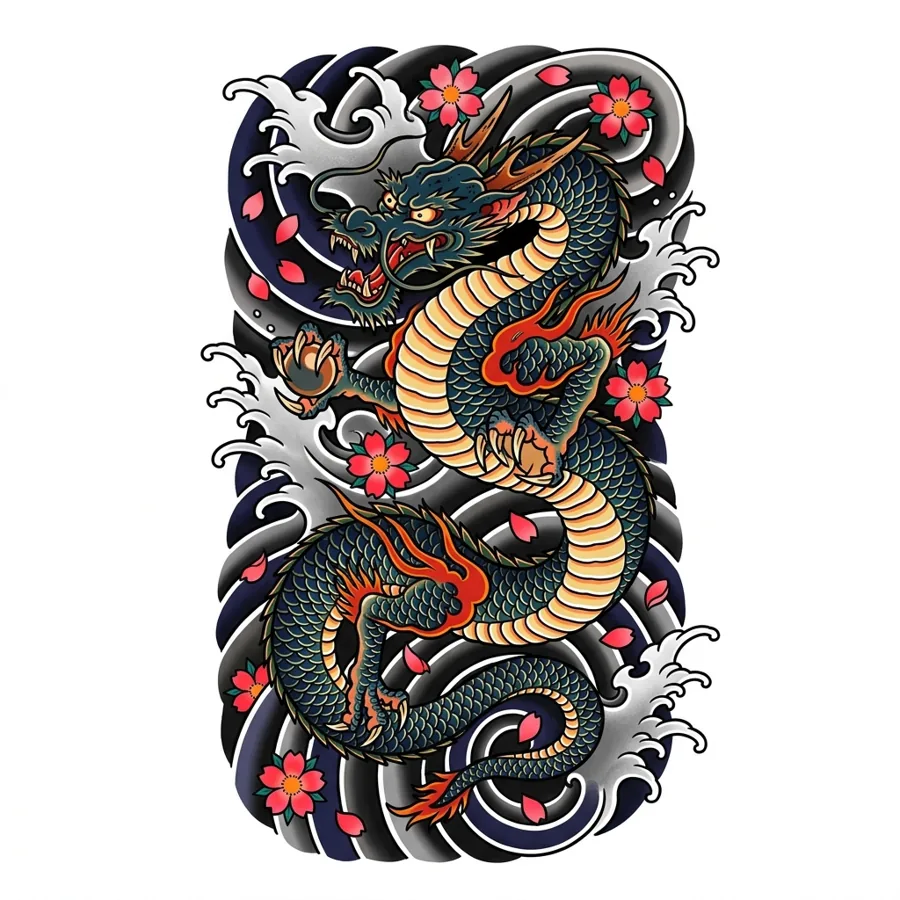
AI Tattoo Generator at a Glance
AI Tattoo Generator turns a written idea into an original tattoo design. You describe the tattoo in words, pick a style, and get the design as flat tattoo flash on a white background, ready to try on your skin.
How to use AI Tattoo Generator
- Describe your tattoo in a sentence, for example "a fox curled around a crescent moon".
- Pick one of 10 styles, such as fine line, traditional, Japanese or watercolor.
- Press "Generate tattoo design" and wait for the result.
- Download the design, or send it straight to the tattoo try on to see it on your body.
- Time
- An AI Tattoo Generator design usually takes about 15 to 30 seconds.
- Cost
- One AI Tattoo Generator design costs 5 credits at 1K, 8 at 2K and 10 at 4K resolution. Every signed-in account without a subscription gets 5 free credits each month, enough for one 1K result, and paid plans add more.
- Result
- AI Tattoo Generator draws one original design per run as flat flash on white, the format a tattoo artist or a stencil needs.
How the Tattoo Generator Works
Describe it in words
Write the tattoo you have in mind in plain words, like "a fox curled around a crescent moon". Start with the subject, then add a detail or two.
Pick a tattoo style
Choose one of ten styles, from delicate fine line to bold American traditional and Japanese. The same idea looks completely different in each, so try a few.
Try it on, download or refine
Your design comes back as clean flash art on white. Send it straight to the tattoo try on to see it on your own skin, download it for your artist, or generate another version.
How to Write a Good Tattoo Idea
Name the main subject first
"A wolf howling at the moon" works better than "something about freedom and nature". Start with what should be in the picture, then add the mood.
Add one or two details
A pose, an object or a setting gives the design character: "a cat sleeping on a stack of books", "a snake wrapped around a dagger". More than three ideas in one tattoo gets crowded.
Let the style do the styling
You do not need to write "bold lines" or "black ink". Pick the style instead, and keep the description about the subject.
Write the exact words for lettering
If you want words in the design, put them in quotes, like a banner reading "Mom". For lettering on its own, the tattoo font generator gives you more control.
Ten Tattoo Styles to Choose From
Not sure which style suits your idea? Browse finished designs in each style for inspiration.
AI Tattoo Generator Questions
How does the AI tattoo generator work?
Describe your idea, pick a tattoo style, and the AI draws an original design as flat flash art on a white background. You can then try it on a photo of your own skin, download it, or generate another version.
Can I turn a photo into a tattoo?
Yes, with the photo to tattoo tool. Upload a photo of a pet, a person, a place or an object and it redraws the subject as a tattoo design in the style you pick, keeping what makes it recognisable. Add a few words to steer the result, like "with flowers around it".
Is the tattoo generator free?
Every free account gets 5 credits a month, enough to generate a design. After that each design costs credits, from a monthly plan or from a one-time credit pack that never expires.
Can I use the designs for a real tattoo?
Yes. Designs you generate are yours to take to a tattoo artist. Most artists will redraw or adjust a design to fit your body and their own technique, which usually makes it better.
Which tattoo styles can it draw?
fine line, minimalist, traditional, neo-traditional, blackwork, geometric, japanese, black & grey, watercolor, ornamental. Each style changes the linework, shading and colour, so the same idea can look delicate, bold or painterly.
Will my design be unique?
Every design is generated fresh from your description, so you will not find the same image in a flash book. The generator is told not to copy logos, brands or copyrighted characters.
Can I see the design on my body?
Yes. Press "Try it on your skin" and the design opens in the tattoo try on, with the background already removed. Upload a photo, place it and render a realistic preview.
Why does the design come out on a white background?
That is the format tattoo artists and stencils work from, and it lets the try on lift the design cleanly onto your skin. It also makes the design easy to print or resize.