Photo to Tattoo: Turn Any Photo Into a Tattoo Design
Upload your photo
Style: Fine line
Your design
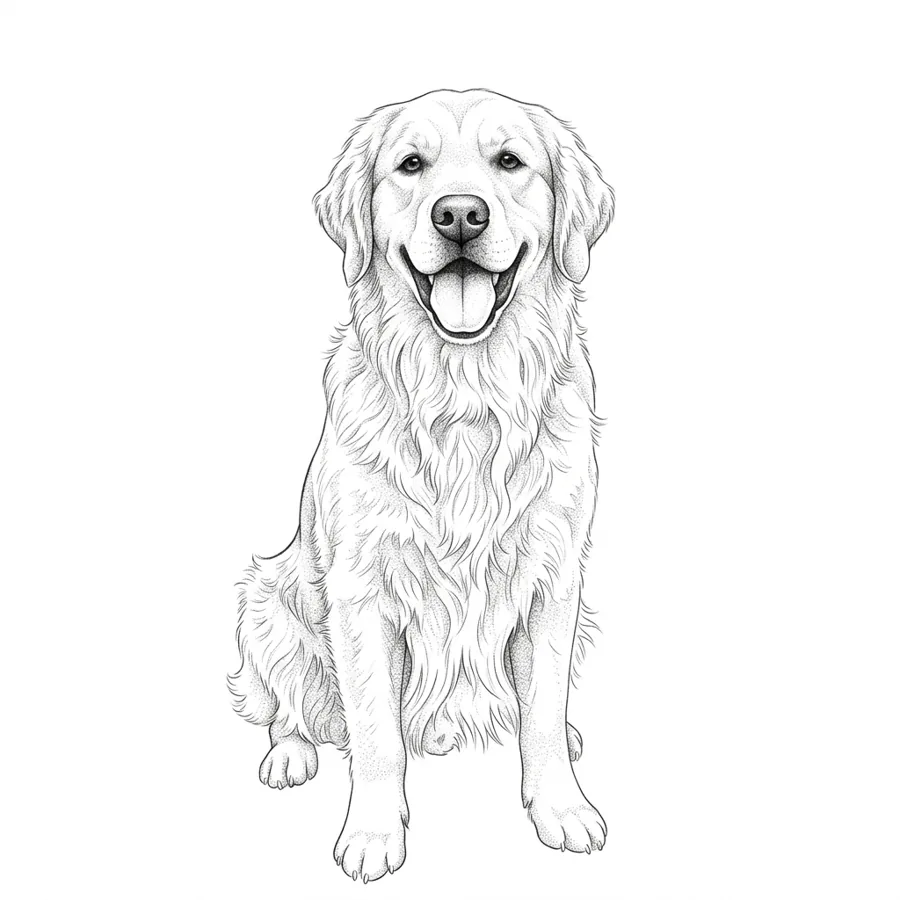
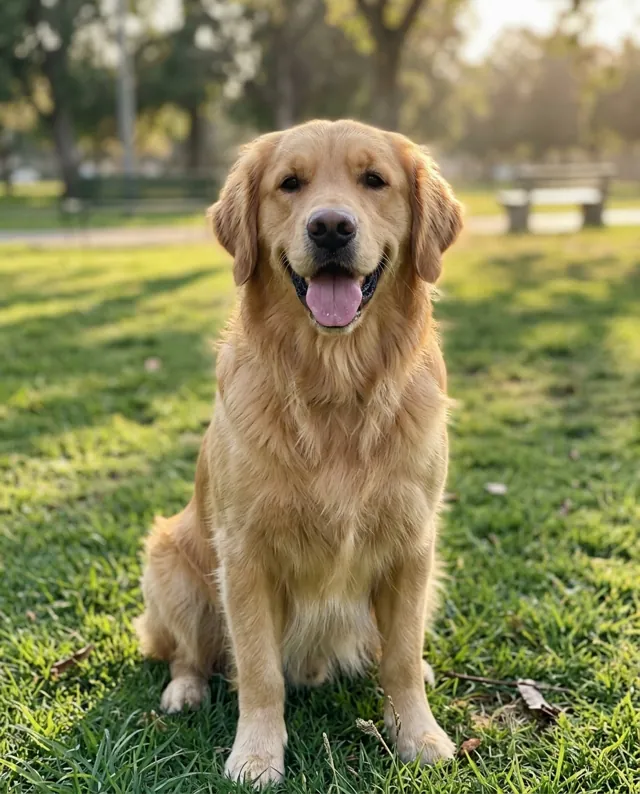
Photo to Tattoo at a Glance
Photo to Tattoo redraws a photo as a tattoo design. You upload a picture of a pet, a person, a place or an object, pick a style, and AI turns it into tattoo flash on a white background, ready to try on.
How to use Photo to Tattoo
- Upload a clear photo of a pet, a person, a place or an object.
- Optionally add details, for example "with flowers around it".
- Pick one of 10 tattoo styles and press "Turn photo into a tattoo".
- Download the design, or try it on a photo of your own skin.
- Time
- A Photo to Tattoo design usually takes about 15 to 30 seconds.
- Cost
- One Photo to Tattoo design costs 5 credits at 1K, 8 at 2K and 10 at 4K resolution. Every signed-in account without a subscription gets 5 free credits each month, enough for one 1K result, and paid plans add more.
- Result
- Photo to Tattoo keeps the subject recognisable and redraws it in the chosen style as flat flash on white.
How Photo to Tattoo Works
Upload a photo
Drop in a picture of your pet, a person, a place or an object. A clear photo where the subject fills most of the frame gives the most recognisable design.
Pick a tattoo style
Choose one of ten styles. Fine line and black and grey keep the most likeness; traditional and Japanese turn the photo into a bolder, more graphic piece.
Try it on, download or refine
The design comes back as clean flash art on white. Send it to the tattoo try on to see it on your skin, download it for your artist, or make another version.
Turn a Photo Into a Tattoo
Pet portraits, a parent's face, the skyline of your home town or a favourite object: upload the photo and the AI redraws its subject as tattoo art in the style you choose. Fine line and black and grey keep the most likeness; traditional and Japanese turn it into a bolder, more graphic piece.
Tips for a Better Photo Tattoo
One clear subject
A single pet, face or object reads best. A crowded group photo gives the AI too much to fit into one tattoo, so crop to the part you want first.
Good light, sharp focus
Daylight and a sharp photo show the features that make the subject recognisable: the markings on a dog, the shape of a smile, the outline of a building.
Steer it with a few words
Add details like "with flowers around it" or "inside a circle frame". The photo decides the subject, the words decide what goes around it.
Try two or three styles
The same photo looks completely different as fine line, blackwork or watercolour. Generating a couple of versions is the quickest way to find the one you want inked.
Ten Tattoo Styles for Your Photo
See what each style looks like before you pick one for your photo.
Photo to Tattoo Questions
How do I turn a photo into a tattoo?
Upload the photo, pick a tattoo style and press "Turn photo into a tattoo". The AI redraws the subject of the photo as an original tattoo design, flat flash art on a white background, that you can try on your own skin or take to your artist.
What kind of photos work best?
Photos with one clear subject in good light: a pet portrait, a face, a flower, a building or a favourite object. Crop out busy backgrounds and other people first, because everything in the frame competes for space in the design.
Will the tattoo look like my pet or my loved one?
It keeps what makes the subject recognisable, like markings, pose and outline, while redrawing it in the tattoo style you choose. Fine line and black and grey stay closest to the photo; bolder styles simplify it more.
Is photo to tattoo free?
Every signed-in account gets 5 free credits each month, enough for one design at 1K. Each design costs 5 credits at 1K, the same as the AI tattoo generator, and the Lite, Pro and Studio plans add more credits every month.
Do you keep my photos?
Your photo is used to make your design and nothing else. It is never shown in a public gallery. Signed-in users can see their designs in their history.
Can I use the design for a real tattoo?
Yes. The design is yours to take to a tattoo artist. Most artists will redraw or adjust it to fit your body and their technique, and the generated design gives them a clear starting point.