Tattoo Cover Up Generator: See a New Design Over Your Old Tattoo
Choose a Cover-Up Direction
Drag the pink oval over the whole old tattoo, including any faded edges. The new design is drawn larger and darker than the area, as a real cover-up must be.
Your Photo
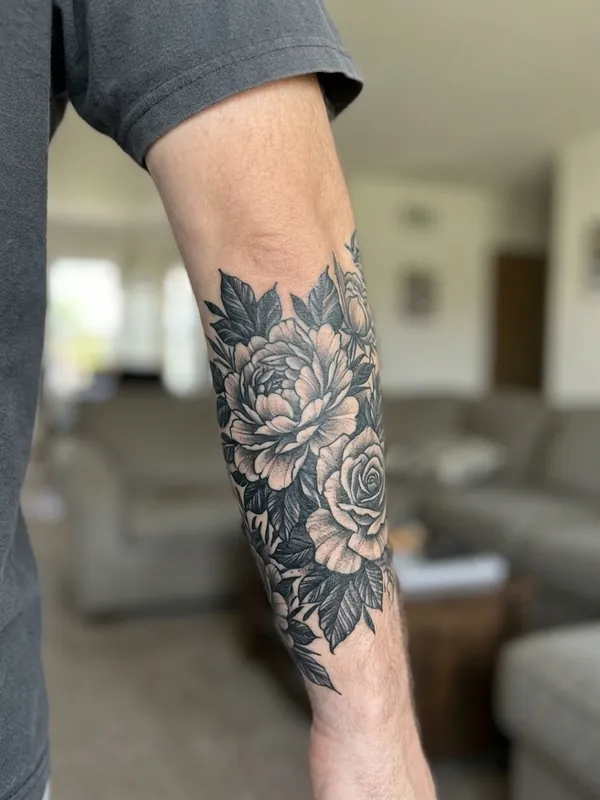
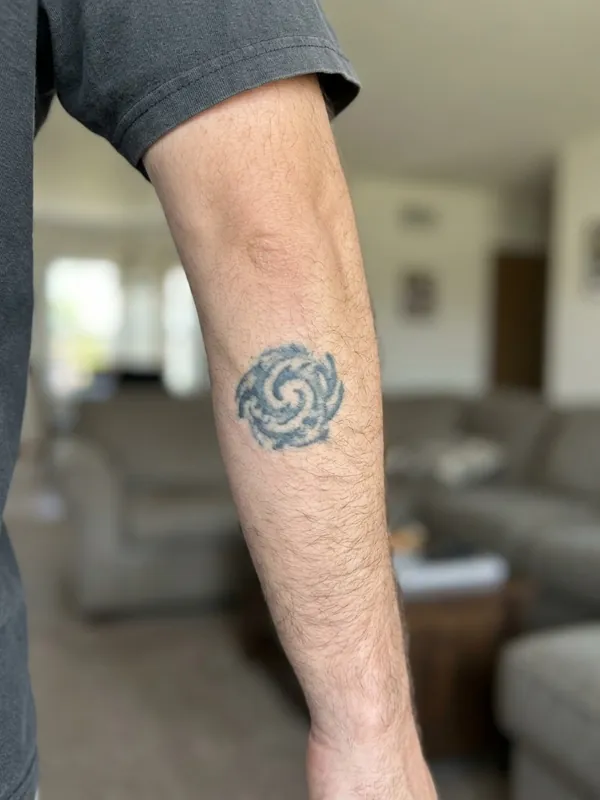
No photo handy? Try one of ours:
Tattoo Cover Up Generator at a Glance
Tattoo Cover Up Generator designs a new tattoo that hides an old one and shows it on your own photo: you mark the old tattoo, pick a direction such as dark floral, Japanese, blackwork or a black and grey animal, and AI renders the cover-up healed into your skin.
How to use Tattoo Cover Up Generator
- Upload a sharp photo of the old tattoo, or try one of the sample photos.
- Drag the oval over the whole old tattoo, including any faded edges.
- Pick a cover-up direction and, if you like, describe your own idea.
- Press "Cover my old tattoo" and compare the before and after with the slider.
- Time
- A Tattoo Cover Up Generator preview usually takes about 15 to 30 seconds.
- Cost
- A Tattoo Cover Up Generator preview costs 5 credits at 1K, 8 at 2K and 10 at 4K resolution. Every signed-in account without a subscription gets 5 free credits each month, enough for one 1K result, and paid plans add more.
- Result
- Tattoo Cover Up Generator draws the new design larger and darker than the old tattoo, with its densest parts over the old ink, as a real cover-up must be. A tattoo artist should still check that it will cover your old ink in person.
How the Tattoo Cover Up Generator Works
Photograph the old tattoo
A sharp, well-lit photo where the whole old tattoo and some skin around it are in frame. Straight on works best.
Mark what has to go
Drag the pink oval over the old tattoo, including faded edges and any blowout. Resize and rotate it with the corner handle.
Pick a direction
Choose dark floral, Japanese, blackwork or a black and grey animal, add an idea if you have one, and the tattoo cover up generator shows the result on your photo.
Tattoo Cover Up Before and After
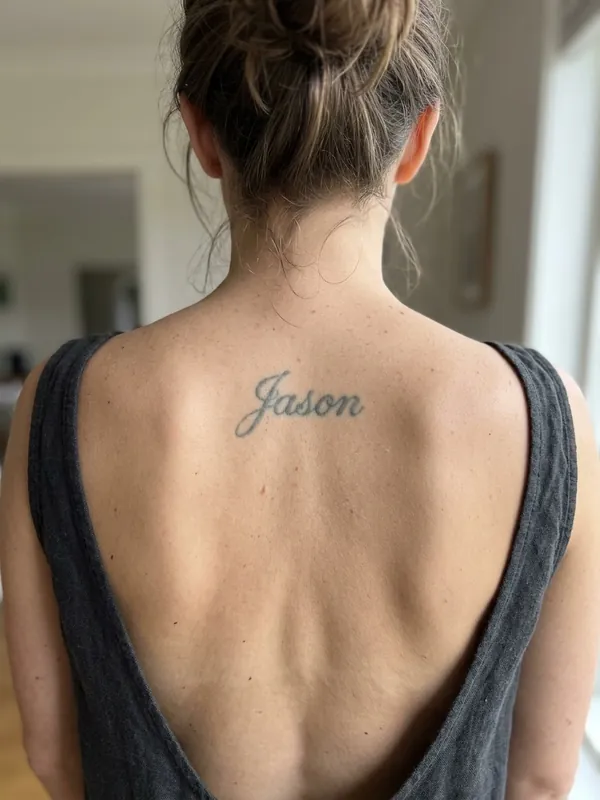
Drag the slider on each photo. The old tattoo is on the left, the cover-up preview from the generator on the right.
Cover-Up Directions That Hide Old Ink
The four directions in the generator are the styles tattoo artists reach for most when they need to hide something. For more, see cover up tattoo ideas by old tattoo and body part.
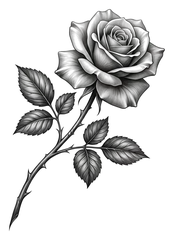
Dark floral cover-ups
Peonies or roses with dense leaves and heavy shading.
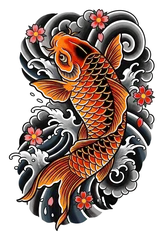
Japanese cover-ups
Koi, waves or a dragon with bold colour and dark backgrounds.
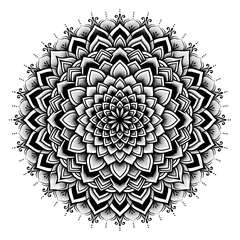
Blackwork cover-ups
Bold solid black shapes that black out the old ink.
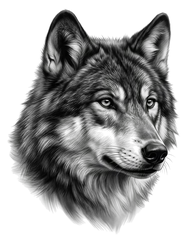
Black and grey animal cover-ups
A wolf, lion or owl portrait with deep shading.
What an AI Cover-Up Preview Can and Cannot Tell You
- 1
It shows a direction, not a final design
Use the preview to decide on a style, a size and a spot, then let your tattoo artist draw the real piece around your old ink.
- 2
Coverage depends on the old ink
Very dark, heavily saturated or blown-out tattoos are harder to hide. An artist may suggest a few sessions of laser fading before the cover-up.
- 3
Cover-ups are bigger than what they hide
A real cover-up needs dark, dense areas over the old lines, so the new piece is always larger. The generator draws it that way on purpose.
Tattoo Cover Up Questions
How does the tattoo cover up generator work?
You upload a photo of the old tattoo and mark it with an oval. The AI designs a new tattoo in the direction you picked, larger and darker than the old one, and renders it healed into the skin on the same photo, so you can compare before and after.
Can any tattoo be covered up?
Most tattoos can, but how easily depends on how dark and large the old one is. Light, faded and small tattoos are the easiest. Very dark or solid black work may need laser fading first, and a tattoo artist can tell you after seeing it in person.
Which cover up tattoo ideas work best?
Designs with dark, dense areas and lots of organic detail: florals with heavy leaves, Japanese koi and waves, blackwork patterns and black and grey animal portraits. Thin fine-line or light watercolour designs rarely hide old ink.
How big does a cover-up need to be?
Usually noticeably larger than the old tattoo, often half again its size or more, so the darkest parts of the new design can sit over the old lines. The generator draws it larger for that reason.
How much does it cost?
A cover-up preview costs 5 credits at 1K. Every signed-in account without a subscription gets 5 free credits each month, enough for one preview, and paid plans add more.
Is my photo private?
Your photo is used only to make your preview and is never shown in a public gallery. Signed-in users can find their previews in their own history.